
The best IPTV choice for a U.S. household is a properly licensed service that carries its needed channels, works on the household’s devices, and has terms that fit its budget. A good fit depends on verified content rights, the channels your household watches, device compatibility, and clear subscription terms.
Internet television can offer live programming and on-demand entertainment, but a large menu does not tell you whether the service fits your home. This comparison focuses on useful features and plan structures, not on ranking or quoting named sellers. You can use the checks below to compare a service with your actual viewing habits before paying.
Key Takeaways
- Look for clear information about content rights and distribution.
- Confirm that your must-have channels and local affiliates are included.
- Match the IPTV player and service to the devices you use.
- Compare the full subscription cost, renewal terms, and simultaneous connections.
- Test playback on your intended device when a trial is available.
- Treat a large channel count as a starting point, not proof of quality or permission to distribute the content.
How IPTV Delivers Live and On-Demand TV
IPTV sends television programming to a compatible screen through an internet connection instead of a cable line or satellite dish. Live channels follow a schedule, while on-demand movies and series let you choose what to play and when.
An electronic program guide (EPG) is an on-screen guide that lists channels and their program schedules. The EPG helps you browse scheduled shows and see what is on now or later. The International Telecommunication Union describes IPTV in its Recommendation ITU-T Y.1991, which defines related IPTV terms.
Live television is different from a VOD library, even when both appear in one app. A live channel carries scheduled content, such as a news program that starts at a set time. On-demand content includes movies, episodes, and series that you select from a catalog.
The label IPTV describes a delivery method, not a guarantee that a particular catalog is authorized.
Some services focus on scheduled channels, some emphasize on-demand content, and some advertise both. A familiar interface or a long channel list does not change what the service is delivering. Check whether the advertised service includes both live programming and a VOD library, since one does not guarantee the other.
Those distinctions matter when you compare entertainment plans. A household that watches scheduled news and sports may value a different lineup from one that mostly watches movies. Decide which format you will use most often before comparing catalog size.
Choosing an IPTV USA Service
Start by checking whether the provider clearly identifies its content rights, supported devices, and subscription conditions. A credible IPTV service explains what it distributes and how you can reach support, rather than leaning only on claims about being the best IPTV service.
Content rights, channel lineup, and playback experience are three practical fit tests. A high channel count alone does not prove a strong fit. The Federal Trade Commission also publishes consumer guidance on subscriptions, including points to consider before agreeing to recurring charges.
Confirm rights and channel coverage
Look for clear information about who distributes the programming and whether the channels you want are available. A provider should identify the content it offers in terms you can understand. A broad claim such as “thousands of channels” does not confirm a specific local station, sports channel, or language option.
Check the actual channel list against the shows your household watches. A guide is useful only when it names the channels and programs clearly. If a service describes its lineup or device options on a provider service page, treat those details as the provider’s own claims and compare them with your needs.
Check playback and account limits
Confirm that the IPTV player runs on your devices and that the subscription allows enough simultaneous connections. Check how customer support can be reached and when your subscription renews. A useful guide to a plan includes its renewal date, cancellation method, and any limits that affect viewing.
Use this short checklist before you pay:
- Rights information identifies who distributes the content.
- Channel list names the channels your household wants.
- Device compatibility covers the screen and IPTV player you will use.
- Support/contact route gives you a clear way to get help.
FTC subscription guidance can help you spot unclear recurring-payment terms. Read the written conditions, not just a banner or sales message. Save the provider’s written terms and confirmation of the channels you need before paying.
U.S. Copyright Rules and IPTV Legality
IPTV is a delivery technology, so its legality depends on whether the provider is authorized to distribute the programming it offers. The rights matter, not the app or device used to watch.
Unauthorized distribution of copyrighted content, including live television broadcasts, is prohibited under U.S. copyright law. The same rule applies to Indian-language programming as to other copyrighted programs. Indian origin or language does not exempt a service from U.S. copyright rules.
Indian IPTV can be legal in the USA when the provider has the rights needed to distribute its programming. The term “IPTV” alone cannot answer whether a particular service is authorized. What matters is whether the provider has permission for the content it offers to viewers.
Before paying, use three straightforward checks:
- Identify the provider responsible for the service.
- Look for clear rights or licensing information about its programming.
- Confirm the service’s terms and contact details.
A payment page, working app, or familiar streaming device is not proof of permission. Nor does a professionally designed interface establish who controls the rights. If the provider does not identify itself or explain its distribution rights, those gaps are reasons to pause.
Keep a copy of any written explanation of the service and its terms. That record can help you understand what the provider promised about your subscription. Do not assume a service is licensed just because it accepts payment or works on a familiar streaming device.
Local, Sports, and International Channel Fit
The most useful channel list is the one that confirms the local affiliates and specific programs your household actually watches. Specific names matter: a national network label may not tell you which station reaches your area.
NBC, CBS, ABC, and FOX are examples of U.S. local broadcast networks. Local news, live sports, and major events can be subject to regional licensing, so availability may differ by area. Check each exact channel and event rather than relying on a general promise of local or sports coverage.
| Viewing need | Channel examples | What to verify |
|---|---|---|
| Local news | NBC, CBS, ABC, and FOX affiliates | Affiliate serving the viewer’s area |
| Live sports | Named leagues or events the viewer follows | Specific event and channel availability |
| International programming | Preferred language or region and specific channels | Exact channel names and language categories |
A national network name alone does not confirm that a local affiliate is included. For local news, compare the station’s call letters or exact channel name with the list for your area. A general label such as “local TV” may hide a lineup that does not include your station.
Sports fans should write down the leagues and events they watch, then match those names to the lineup. International viewers can do the same with preferred languages and channels. A provider’s service information may describe its channel and device claims, but the exact channel list is what matters to your household.
Do not count a channel as available just because a related network appears in the list. Confirm the exact affiliate or channel name, not just a broad label such as “local TV.”
IPTV Subscription Costs in the United States
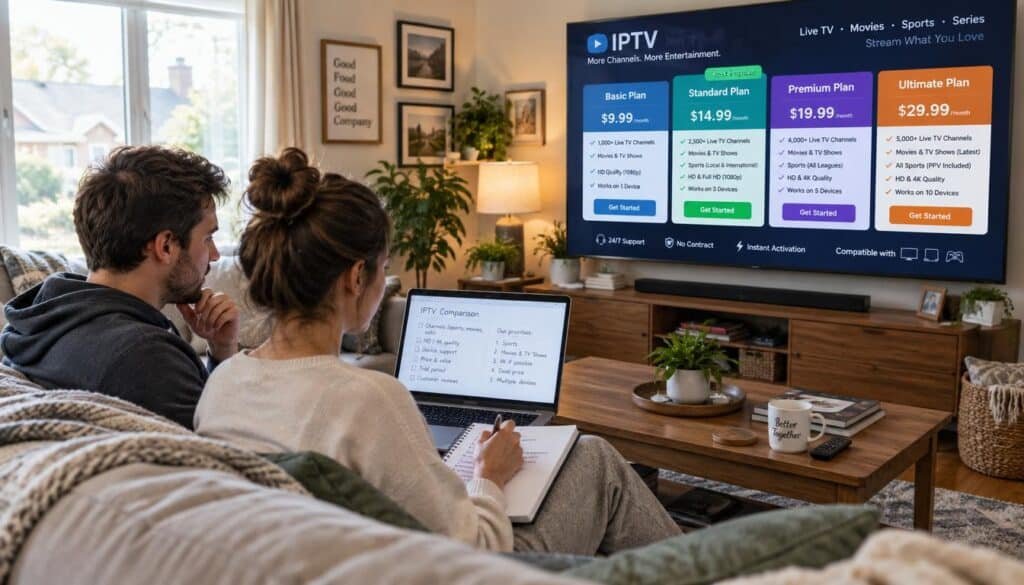
A typical IPTV subscription costs $10-$25 per month in 2026, with the final amount shaped by its term, connections, and included features. The advertised rate may describe only one plan configuration.
A listed price may reflect a particular number of simultaneous connections or a specific feature set. The typical $10-$25 monthly range gives you a reference point, not a promise that every plan costs the same. Compare the features attached to the rate before judging whether it suits your household.
What a monthly price covers
One monthly equivalent may be based on a longer subscription term paid upfront. Another may include fewer connections or fewer features. The number shown beside a plan can therefore differ from the amount charged at checkout.
For cheap IPTV in the USA, a low price is good value only when the desired channels, rights, and support are clear. A low rate cannot make an unsuitable lineup useful. Check what the price includes before treating the plan as a bargain.
How to compare total plan cost
Compare the total amount due for the full term, then read the renewal conditions. Look for extra charges if you need more connections or add-on features. A plan that appears inexpensive by month may require a larger payment upfront.
Use these four cost checks:
- Total payment due at checkout.
- Term length covered by that payment.
- Number of simultaneous connections included.
- Renewal or add-on charges that could change the bill.
Save a copy of the price and renewal terms shown when you sign up. Keep the receipt with the account details so you can compare the charged amount with the selected plan. Compare the full amount due for the chosen term rather than judging a plan by its advertised monthly equivalent.
Free Trials and Free Streaming Options
Free viewing may mean an ad-supported service, while an IPTV free trial is a limited test of a paid subscription. Those are different offers: a free platform may carry its own live channels and catalog without providing the paid service you are evaluating.
Free ad-supported streaming services such as Pluto TV are not necessarily the same as a paid IPTV subscription. Trials for a paid service can range from a few hours to several days. The trial period lets you assess the service before committing to a full subscription.
Free ad-supported viewing versus IPTV trials
Ad-supported services may offer live channels, movies, or series without a paid subscription, but they are separate services. An IPTV free trial usually gives you temporary access to a paid service’s features. The catalogs and channels can differ, so one does not stand in for the other.
A free trial for an IPTV service in the USA can be short or last several days. Use the time to check the features you would rely on, rather than judging by a welcome screen or a single clip. Start the trial when you can watch on your usual device.
What to test before paying
Watch at a time when you usually stream, since ordinary household use is a better measure than an idle afternoon. Test the service on the device you plan to use. Keep notes on these four viewing checks:
| Trial check | How to test | What to note |
|---|---|---|
| Picture quality | Watch a channel on your intended device | Clarity and changes during playback |
| Buffering | Watch through a normal viewing period | Pauses or repeated loading |
| Channel loading time | Switch among several channels | Delay before each channel plays |
| EPG usefulness | Browse current and upcoming programs | Schedule accuracy and ease of use |
Make a note of issues while they happen, not after you have forgotten which channel stalled. Before starting a trial, check whether it automatically renews or requires payment details.
Subscription Terms and Simultaneous Connections
Monthly terms suit viewers who want a shorter commitment, while longer terms suit people who have already confirmed the service fits. Longer terms mean a longer commitment, not guaranteed savings.
IPTV services may offer monthly, quarterly, semiannual, and yearly subscription terms. The length of the term determines how often you pay, while the plan’s simultaneous-connection limit determines how many streams can run at once.
| Term | Payment interval | Best fit |
|---|---|---|
| Monthly | Monthly payment | Shorter commitment |
| Quarterly | Three-month interval | Viewer comfortable with a three-month term |
| Semiannual | Six-month interval | Viewer comfortable with a six-month term |
| Yearly | Twelve-month interval | Viewer comfortable with a twelve-month term |
Think about how long you have used the service successfully before choosing a longer term. A low monthly equivalent does not remove the commitment to pay for the full interval. Read the cancellation and renewal conditions for the exact plan you choose.
The number of devices on which an app can be installed is separate from the number of streams allowed at once. You may be able to install an IPTV player on several screens while the account still permits only a smaller number of simultaneous connections.
Extra connections can change the price, so account for the number of people likely to watch different programs at once. A household with one regular viewer has a different need from a home where several people stream concurrently. Confirm the simultaneous-stream limit in the written plan before sharing account access across a household.
Internet Speed and Streaming Quality
A 15 Mbps or faster home connection is enough to get started, but the stream also depends on Wi-Fi, device performance, and server congestion. That speed is a starting point, not a guarantee for several simultaneous streams or higher-resolution viewing.
Network speed is only one part of playback quality. A weak Wi-Fi signal can interrupt the path between the router and screen, even when the internet plan looks fast. Router placement can also leave a device with a poor signal through walls or at the far end of the home.
Device workload is another possible cause of buffering. An older or busy device may struggle to run the IPTV player smoothly, even when the connection itself is adequate. Closing other apps can help show whether the device is part of the problem.
Server congestion can also affect playback, especially when many people use the same service at once. A speed test from another room may not reflect the connection near the television. For a useful check, test the connection close to the viewing device.
Compare performance on a wired connection or stronger Wi-Fi where possible. If a wired test works better, the home network path may be the weak link. If playback improves near the router, address the home Wi-Fi path before blaming the service alone.
A single speed figure cannot account for the number of streams or the quality settings you use. Give each screen a strong connection and avoid treating the fastest point in the home as a measure of every room.
Compatible Devices and IPTV Apps
Check that the provider supports both the screen you plan to watch on and an IPTV player that runs on that device. Compatibility has two parts: the device must support the software, and the provider must support the way you access its service.
An IPTV player is software installed on a compatible screen or box. IPTV Smarters Pro is one player example, not a subscription or source of channels. App availability and provider support can differ, so confirm both before paying.
TVs and streaming boxes
Common device examples include Firestick, Smart TVs, Android TV devices, MAG boxes, and computers. The exact model and operating system can affect which player apps are available. Check the device you own, not only the general category.
| Device type | Examples | Compatibility check |
|---|---|---|
| Television | Smart TVs | Supported IPTV player and model |
| Streaming stick | Firestick | App availability on the stick |
| Android TV device | Android TV box | Player support for its version |
| Dedicated box | MAG box | Provider support for its setup method |
| Computer | Windows computer | Compatible player or browser access |
A television that can connect to the internet does not automatically support every IPTV player. Some screens require a separate streaming device, while others have a compatible app store. The provider’s supported-device list should match your own equipment.
Phones, tablets, and computers
iOS devices and Windows computers are common ways to watch, but support can vary by app and provider. Check whether the player works on your operating system and whether the provider supports that access method. A device being able to play video does not confirm that the service’s app will run on it.
IPTV Smarters Pro is an IPTV player example, while the subscription comes from the IPTV provider. The player organizes access; it does not supply the channels or replace an account. Confirm compatibility on the exact device model you will use, especially before committing to a longer term.
IPTV Subscription Setup, Step by Step
Setup usually follows six actions, from choosing a plan and receiving login details to loading the guide and playing a channel. The exact screens differ because each provider may use a different IPTV player or login method.
A common setup uses an M3U playlist or Xtream Codes login. IPTV Smarters Pro and TiviMate are examples of IPTV players, not content providers. Installing an app alone does not give you channels or a subscription login.
- Choose a plan that matches your viewing needs.
- Receive the account credentials or playlist details.
- Install a compatible IPTV player on your device.
- Enter the supplied details using the player’s supported method.
- Load the EPG so channel schedules appear in the guide.
- Find a channel and start a live stream.
Install the player and add credentials
First, use the provider’s instructions to choose the login method it supports. An M3U playlist is a file or link that organizes channel access. Xtream Codes login uses account details entered into a compatible player.
Check that the player is installed on the intended device before adding details. Follow the player’s prompts carefully and use the correct method for the credentials supplied. The names of buttons may differ across apps, so a provider’s instructions should match your player.
Load the guide and test playback
After the login is accepted, load the EPG to see channel names and scheduled programs. Open a channel you recognize and start a live stream. If the guide is empty, check whether it has finished loading and whether the account details include guide data.
When the stream plays, use the guide to move between channels and confirm that the schedule is readable. A successful app installation is only one part of setup; the account must also have active access. Enter credentials only in the player and account flow you have confirmed belongs to the provider.
Full HD, FHD, and 4K Picture Quality
Full HD, also called FHD, means 1080p, while 4K UHD refers to 2160p. FHD is a sensible target for many TVs, while 4K needs a compatible screen and a stream delivered at that quality.
HD commonly refers to 720p video. The 1080p Full HD label describes a higher resolution, and 2160p 4K UHD carries more image detail when the source and screen support it. Those labels describe resolution, not the full viewing experience.
A stream can look soft even when a plan advertises Full HD or 4K. The source image, bitrate, screen, and connection all affect what you see. Bitrate describes how much video data is delivered over time, and a low bitrate can limit detail.
Full HD quality for IPTV in the USA is a practical target for many viewers who use an FHD screen. A 4K label is useful only when the screen can show that resolution and the stream actually arrives in 4K. A high-resolution television cannot add detail that is missing from the source.
Choose a setting that matches your screen and connection rather than selecting the largest number automatically. A steady, clear 1080p stream can be more pleasant than a 4K stream that repeatedly drops quality. Choose the highest resolution that the screen and connection can sustain consistently, not just the largest label in a plan description.
Testing Live Sports and Major Events
A sports viewer should verify the specific league and event, then test a live feed during the kind of viewing they care about. A broad sports label is not enough to confirm that a particular game or event is available.
NFL, NBA, MLB, NHL, and UFC are examples of U.S. sports programming. Identify the league, event, and channel you intend to watch, then check those names in the service’s lineup. A sports category may include some coverage without carrying every event you follow.
Test an actual live event rather than relying only on an on-demand clip. A replay can show that a video plays, but it does not show how the live feed performs during a game. Use the EPG to find scheduled programming and confirm the event’s listed time and channel.
Pay-per-view, or PPV, access may be separate from a regular channel plan or governed by specific event terms. Check the plan details for the event you want, including whether a separate payment applies. A channel that carries related sports coverage does not necessarily include every PPV event.
Make your check around the sort of event you watch most, such as a full game or a live fight. A short highlight does not show how the service performs over a longer broadcast. Confirm whether a PPV event is included before assuming it comes with a regular channel plan.
Movies, Series, and Video on Demand
A VOD library is most valuable when it contains the movies and series your household wants to watch, not merely a large number of titles. Useful selection beats headline size when you are choosing something to watch tonight.
VOD means video on demand. A VOD library may include movies, TV shows, and series that you choose and play at a time that suits you. That differs from live channels, where the program follows a schedule rather than starting when you select it.
Consider the genres, languages, and types of titles your household actually watches. A family that prefers documentaries has different needs from viewers who mainly watch comedy or drama. Check whether the catalog has useful categories and search tools, not only a large headline number.
Availability can change, so a title in a menu today may not remain there indefinitely. Look for movies, shows, and series that match your regular viewing, including language options that matter to your home. If the titles are hard to find, a large library may still feel limited.
The practical mistake is choosing a plan for a very large catalog without checking whether its movies and series suit you. Search for a few specific titles before paying, and confirm whether the provider’s catalog is updated and organized for easy browsing.
Privacy, Payment, and Customer Support
Before sharing account or payment information, check the provider’s privacy terms and the route for contacting support. Clear contact details matter when a login fails or a charge needs an explanation.
The Federal Trade Commission publishes consumer guidance on online privacy and security. Multi-factor authentication is an account-security control recognized by the National Institute of Standards and Technology. It adds a second check beyond a password when the service offers it.
Use this four-item account checklist:
- Read the privacy policy before sharing personal details.
- Use a unique password for the account.
- Check whether multi-factor authentication is available.
- Identify a real support contact route.
A promise of helpful support is more useful when the provider says how to reach the team. It should also explain what account details are needed to troubleshoot a problem. Avoid sending passwords or payment details through an unverified message, even when the sender claims to represent the service.
Keep payment records and account messages in a place you can find later. Share only the information needed to resolve a support issue, and do not send secret login details as proof of ownership. Keep passwords private and use multi-factor authentication whenever the account offers it.
Best IPTV Plan by Household Type
The best plan depends first on how many people watch at once and which channels they actually need. Household routines are the best guide: one viewer has different needs from a family streaming different programs at the same time.
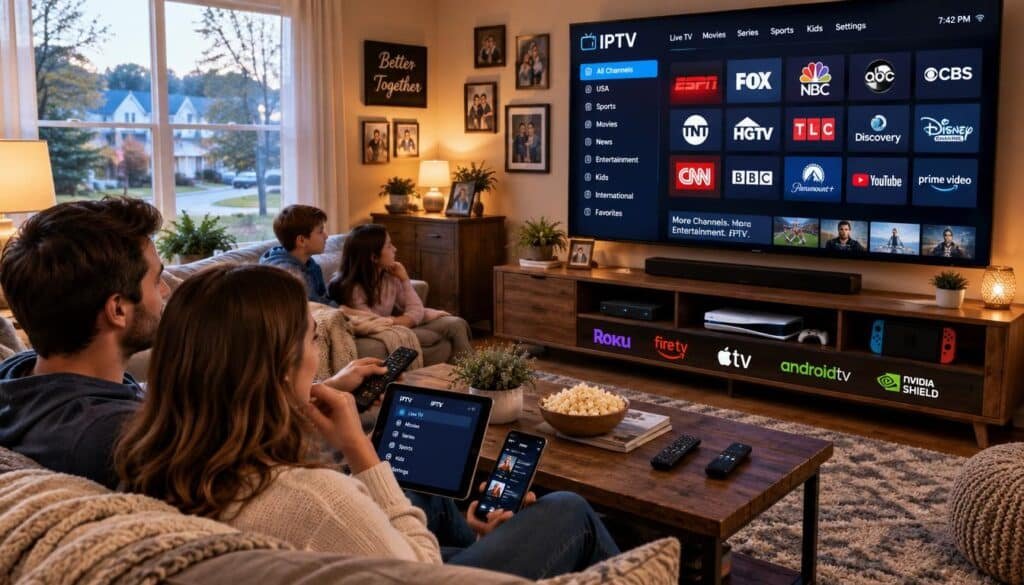
A solo viewer can prioritize a compatible device, wanted channels, and an affordable short term. A household with concurrent viewers should focus on the simultaneous-connection cap. Viewers seeking Indian-language or other international content should check specific channels and language categories.
| Profile | Priority | Plan detail to confirm |
|---|---|---|
| Solo viewer | Wanted channels and one compatible device | Short term and included connection count |
| Concurrent household | Different programs watched at once | Simultaneous-connection cap |
| International viewer | Specific language and regional programming | Named channels and language categories |
For most U.S. households, prioritize rights, local channels, a trial or clear refund terms, and device fit. Sports fans should verify the live-event lineup. International viewers should confirm language-specific channels instead of relying on a broad regional label.
A plan built for one screen may not suit people who watch in separate rooms. Installed apps do not set the number of streams that can run at once. Check the connection limit against the moments when household viewing overlaps, such as a game and a show airing at the same time.
Choose a plan around the people and programs in your home, not the biggest advertised catalog.
For international programming, write down the specific channels and language categories you need. For a solo setup, focus on the screen you already own and the channels you will actually watch. Those details make it easier to compare written plans without assuming one service suits everyone.
Before paying, match the written connection limit and channel list to the household’s real viewing routine.
Conclusion
A confident IPTV choice starts with authorized content, the channels you will watch, and terms you understand. A large catalog is not the deciding factor if the service lacks the rights or viewing options your household needs.
For an IPTV subscription, compare the provider’s current written terms with your desired channels, device, and number of simultaneous streams before paying. This gives you a practical check against the plan you expect to receive, without relying on broad promotional claims.
Take one next step: save the channel list and plan terms you are considering, then match them to your household’s routine. Confirm the current plan details and rights information before completing a subscription.